
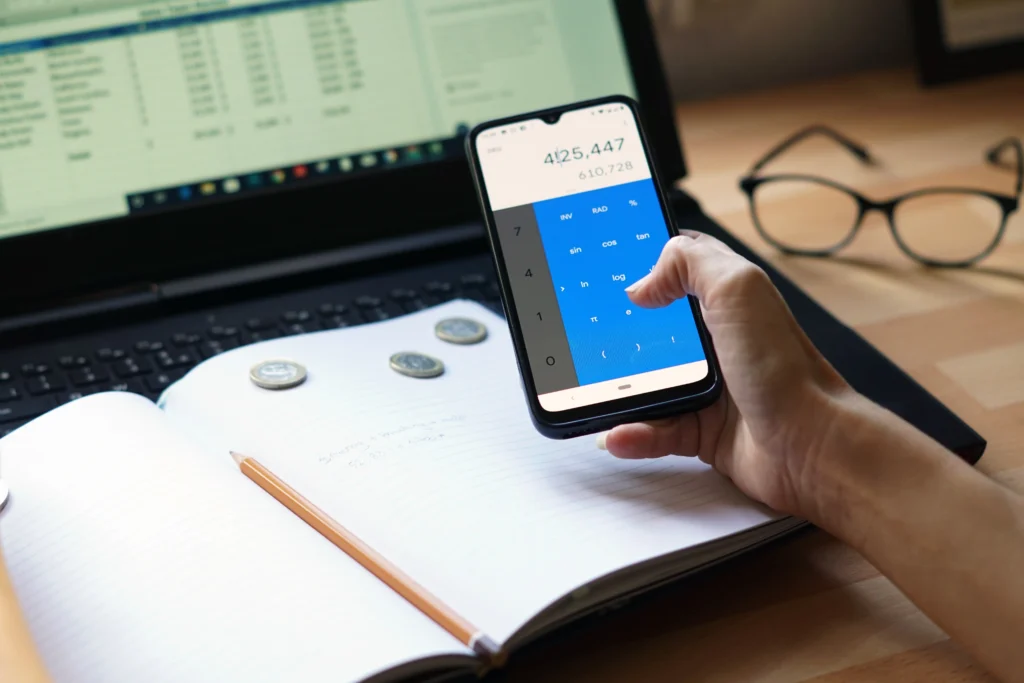
If you’re running a small business in Pakistan — a retail shop, a wholesale operation, a service company, or a growing startup — there is a good chance your financial records are still living in a notebook, a basic Excel sheet, or scattered across WhatsApp messages and handwritten receipts.
You’re not alone. Most Pakistani SMEs still manage finances manually. And most of them eventually hit the same wall: missed invoices, confused cash flow, tax-time panic, and zero visibility into whether the business is actually profitable.
Mobile accounting software changes that. And in 2025, you don’t need to be a large corporation or hire a full-time accountant to get your finances under control. A good mobile accounting app gives you the same financial clarity — from your phone, in real time, for a fraction of the cost.
This guide explains what to look for, what questions to ask before choosing, and how the right online accounting software can transform how your business runs — specifically for Pakistan’s SME landscape.
Why Pakistani SMEs Need Mobile Accounting Software Now More Than Ever
Pakistan’s SME sector is the backbone of the national economy. According to SMEDA and the State Bank of Pakistan, there are over 5.2 million SMEs operating across the country, contributing approximately 40% to GDP and employing 78% of the non-agricultural workforce. Yet despite this scale, the majority of these businesses still rely on informal, manual financial management.
That creates real problems:
- Cash flow blind spots. Without a live view of receivables and payables, business owners often don’t know they’re running short until it’s too late.
- Tax compliance pressure. FBR documentation requirements are tightening. Manually produced records are increasingly difficult to defend during audits.
- Decision-making in the dark. Without proper financial reports, pricing decisions, expansion plans, and cost-cutting are all guesswork.
- Disconnected operations. When your invoicing is in one place, your expenses in another, and your bank statements in a third, reconciliation becomes a monthly nightmare.
Mobile accounting software brings all of this together — and makes it manageable from anywhere, even from the field.
What Is Mobile Accounting Software?
Mobile accounting software is a cloud-based financial management system you can access from your smartphone or tablet, without being tied to a desktop or a specific office location. The better systems also have full web interfaces for when you’re at your desk.
At a functional level, it typically handles:
- Invoicing and billing
- Expense recording and categorisation
- Cash flow tracking
- Bank reconciliation
- Financial reporting (profit & loss, balance sheet, cash flow statements)
- Budgeting and forecasting
- Multi-branch or multi-user access
The key distinction between mobile accounting software and a simple ledger app is depth and integration. A real accounting system connects your sales, expenses, and bank data into one coherent financial picture — not just a list of transactions.
What to Look for in a Mobile Accounting App for Your Pakistani Business
Not every accounting tool is built with Pakistani businesses in mind. Before choosing one, evaluate these criteria:
1. PKR Support and Local Currency Handling
This sounds basic, but many international tools default to USD or create conversion complications. Your accounting software should natively support Pakistani Rupees with no workarounds.
2. FBR-Ready Invoicing and Tax Reporting
Pakistan’s tax framework requires businesses to issue compliant invoices and maintain proper records for GST and income tax filings. Your software should support this without requiring manual adjustments.
3. Mobile-First Design
If it’s uncomfortable to use on a phone, your team won’t use it consistently. Look for an app that is genuinely designed for mobile — not just a desktop interface squeezed onto a smaller screen.
4. Multi-Branch and Multi-User Capability
If you operate more than one location, or if your accountant, manager, and owner all need access, your system needs to support role-based access across users and branches.
5. Real-Time Reporting
Monthly reports printed from Excel are not enough. You need live visibility into your cash position, outstanding invoices, and current expenses — especially in Pakistan’s fast-moving business environment.
6. Offline Functionality (or Low-Bandwidth Performance)
Internet connectivity can be inconsistent in some areas of Pakistan. Software that handles slow connections gracefully — or offers basic offline functionality — is a practical advantage.
7. Local Support
When something goes wrong, you need support that understands Pakistani business practices, FBR requirements, and your operational context. A support team based internationally and available only during foreign business hours is a real limitation.
8. Affordable, PKR-Based Pricing
Subscription costs in USD become expensive when the Rupee fluctuates. Software priced in PKR with transparent, predictable billing is significantly easier to budget for and justify to stakeholders.
The Most Common Financial Mistakes Pakistani SMEs Make (and How Software Fixes Them)
Mistake 1: Mixing personal and business finances
Many small business owners in Pakistan run personal and business transactions through the same account. This makes it impossible to know the true profitability of the business. A dedicated financial management system forces clean separation — and makes your numbers trustworthy.
Mistake 2: Invoicing late or inconsistently
Delayed invoicing is a leading cause of cash flow problems. When invoices go out manually, they get forgotten, misdated, or lost. Automated invoicing with reminders ensures every transaction is captured and followed up on time.
Mistake 3: Ignoring expense categorisation
Many business owners record expenses as a lump sum without breaking them down by category. This makes it impossible to identify where money is leaking. Proper categorisation in your accounting software gives you the data to cut costs intelligently.
Mistake 4: No budget vs. actual comparison
Businesses that don’t track planned spending against actual spending have no early warning system. By the time you notice overspending, the damage is done. A good budgeting module shows you variance in real time.
Mistake 5: Preparing financials only for tax season
If you’re only looking at your accounts once a year, you’re flying blind for 11 months. Monthly or even weekly review of your financial reports transforms how you make decisions.
What a Modern Financial Management System Should Look Like
Here’s what best-in-class mobile accounting software for Pakistani SMEs should include — and how each feature maps to a real business need:
| Feature | Business Problem It Solves |
| Mobile invoicing | Create and send invoices from anywhere, immediately after a sale |
| Expense tracking | Record costs in real time, not from memory at month-end |
| Cash flow dashboard | Know your current position, what’s owed to you, what you owe |
| Budget module | Plan spending by department or project, then track actuals |
| Financial reports | P&L, balance sheet, and cash flow statements on demand |
| Multi-branch access | Consolidate accounts across multiple locations |
| FBR-compliant invoices | Issue tax-ready documents with correct fields and format |
| Role-based access | Give your accountant, manager, or partner the right access level |
| Bank reconciliation | Match transactions automatically, spot discrepancies quickly |
Who Benefits Most from Mobile Accounting Software in Pakistan?
Retailers and Wholesalers
High transaction volumes, supplier payments, and customer credit management all become manageable when tracked in a single system. Real-time inventory-linked accounting means you always know your cost of goods and margin per product.
Service Businesses
Consultancies, agencies, clinics, and service providers need clean invoicing, expense tracking by client or project, and simple reporting to understand profitability. Mobile accounting software eliminates the end-of-month reconciliation scramble.
Distributors and Traders
Multi-party transactions, payment terms, and supplier balances require a system that can handle payables and receivables simultaneously — with clear aging reports so nothing falls through the cracks.
E-commerce Brands
Online sellers need to reconcile platform payouts, track fulfilment costs, manage returns, and report profitability per channel. A connected accounting system makes this structured and auditable.
Freelancers and Agencies
Even solo professionals benefit from proper invoicing, expense categorisation, and quarterly tax preparation. Mobile accounting removes the need to hire someone just to keep basic records.
Multi-Branch Businesses
Whether you have two branches or ten, consolidated financial reporting across locations is only possible with centralized accounting software. Manual consolidation from separate Excel files is both slow and error-prone.
Expert Perspective: What Most Accounting App Guides Miss
Most comparison articles focus on feature lists and screenshots. What they underemphasize is adoption.
The best mobile accounting software is not the one with the most features — it’s the one your team will actually use, consistently, without needing an accounting degree to operate it.
For Pakistani businesses specifically, this means:
- Simplicity over sophistication. If the app requires formal accounting knowledge to enter a basic expense, most users will revert to their old habits within a week.
- Urdu or bilingual support. Not every team member managing daily transactions is comfortable with English-only interfaces.
- Onboarding matters. A tool that can be set up in a day with local support is vastly more valuable than a powerful system that takes months to configure.
- Data migration. Can you import your existing records, or do you start from zero? The ability to bring your historical data into the new system is critical for continuity.
When evaluating any online accounting software, ask for a demo. Use it yourself. Give it to someone on your team who is not an accountant. If they can figure it out in 15 minutes, it’s a strong candidate.
How KhataMaster.pk Addresses the Pakistani SME Challenge
KhataMaster.pk is built specifically for the Pakistani market — not adapted from a foreign product, but designed from the ground up for how businesses in Pakistan actually operate.
It addresses the core challenges Pakistani SMEs face:
Ease of use without accounting knowledge. KhataMaster is designed so that business owners, not just accountants, can navigate their own finances confidently. Recording an invoice, adding an expense, or pulling a cash flow report does not require technical training.
Local relevance. PKR-native, with support for Pakistani invoicing norms and tax documentation requirements, KhataMaster fits naturally into how transactions actually happen in Pakistan — from retail counters in Lahore to wholesale operations in Karachi to distributors in Multan and Faisalabad.
Affordability. Pricing is in PKR and structured for SME budgets — not enterprise contracts or USD-denominated subscriptions that fluctuate with exchange rates.
Mobile-first design. The platform is built for on-the-go use. Whether you’re at the office, visiting a supplier, or checking in on a branch location, your financial data is always accessible.
Comprehensive feature set in one place. Rather than using separate tools for invoicing, expense tracking, and reporting, KhataMaster consolidates everything — expenses, invoices, budgets, cash flow, and financial reports — into a single system.
If your business is currently relying on manual records, spreadsheets, or disconnected tools, explore KhataMaster’s features to understand what a proper financial management system can look like for your specific operation.
How to Choose the Right Mobile Accounting Software: A Simple Framework
Before making a decision, work through these four questions:
- What’s your biggest financial pain point right now? Is it late invoicing? Poor cash flow visibility? Messy expense records? Year-end tax chaos? Identify your primary problem and make sure the software solves it first.
- Who will use the software daily? If it’s you and a part-time bookkeeper, a simple system may be enough. If you have multiple departments, branches, or users, you need multi-user, role-based access.
- What’s your budget, and is it priced in PKR? Set a realistic monthly ceiling. Prioritize solutions with transparent PKR pricing so you’re not exposed to exchange rate surprises.
- Is local support available? Test this before you commit. Send a query. See how quickly and helpfully it’s answered. You’ll likely need support at some point — make sure it’s actually there.
Final Thoughts
Pakistan’s SMEs are operating in an increasingly competitive and compliance-driven environment. The businesses that will grow are those that gain financial clarity, operate efficiently, and make decisions based on real data — not estimates and end-of-month spreadsheets.
Mobile accounting software is no longer a luxury or a tool reserved for large companies. It is a practical, affordable, and increasingly necessary part of running any business with ambition.
The right system doesn’t need to be complex. It needs to be reliable, simple enough for daily use, locally relevant, and genuinely useful for the way your business actually works.
That’s exactly what KhataMaster.pk is built to deliver.
Frequently Asked Questions
What is mobile accounting software? Mobile accounting software is a cloud-based financial management system accessible from a smartphone or tablet. It handles invoicing, expense tracking, cash flow, budgeting, and reporting — giving business owners real-time visibility into their finances from anywhere.
Is online accounting software safe for Pakistani businesses? Yes. Reputable cloud-based systems use encryption and secure authentication to protect financial data. Look for platforms that are transparent about their data security practices and offer data backup.
Do I need accounting knowledge to use accounting software? With the right platform, no. The best mobile accounting apps for small businesses are designed for business owners — not accountants. KhataMaster.pk, for example, is built around ease of use so that anyone can manage their records without a formal accounting background.
How much does mobile accounting software cost in Pakistan? Costs vary widely. Some basic tools are free with limited features. Professional systems designed for SMEs typically range from a few hundred to a few thousand PKR per month depending on features and users. KhataMaster.pk offers transparent PKR-based pricing aligned with SME budgets.
Can accounting software help with FBR compliance? Yes. A good financial management system generates FBR-ready invoices, maintains the transaction records required for tax filings, and simplifies the documentation process at year-end or during audits.
What if I’m currently using Excel or manual records? Most modern accounting platforms allow you to import historical data or start fresh with your current period. A platform like KhataMaster.pk can help you migrate your records and set up properly from day one — without disrupting your ongoing operations.